It takes real skill to develop a flawless HTML doc, and it is really painful to realize that you have accidentally deleted your HTML file. Fortunately, with the help of Remo File Recovery Software, you can effortlessly recover lost or deleted HTML files from any Windows computer or Mac Machine within a few clicks.
HTML, which stands for Hypertext Mark-up Language, is the chief mark-up language for web pages. Many times, HTML files or documents get deleted or lost from the hard disk drive of a computer system due to various reasons.
You might be wondering if it is possible to recover the deleted HTML files. If yes, how is it possible to recover lost HTML files? Compiled with all the facts, this article will help you recover deleted HTML files and explain how they can be recovered.
HTML files are not permanently erased when deleted using “Delete” the files. Generally, when you delete an HTML file from your storage device, it gets saved in the Recycle Bin.
Unfortunately, if you have emptied the Recycle Bin or cleared the Recycle Bin without restoring the files, the files will be permanently deleted.
Suppose you have saved copies of HTML files on the cloud or any external storage device like a Hard drive or USB drive before they got deleted or were lost. Then, I recommend you restore the backup copies of the deleted or lost files and use them.
Note: You can also refer to this article to find out other ways to recover files from Windows.
If you do not have a backup of your HTML files or have permanently deleted or lost those files forever. Worry not; the deleted HTML files still exist in the storage sectors, but it doesn't mean that the HTML files become accessible or gone forever. Then, you will need a reliable data recovery tool to recover deleted HTML files. Remo is one such utility that can easily restore lost or deleted HTML files.
Remo File Recovery Software is a highly preferred solution for any data loss problem. Integrated with the best interactive user interface, Remo will make extremely critical data loss scenarios easy to deal with. Developed meticulously and under constant testing in real-time data loss scenarios, Remo can restore lost HTML files from utmost critical data loss situations.
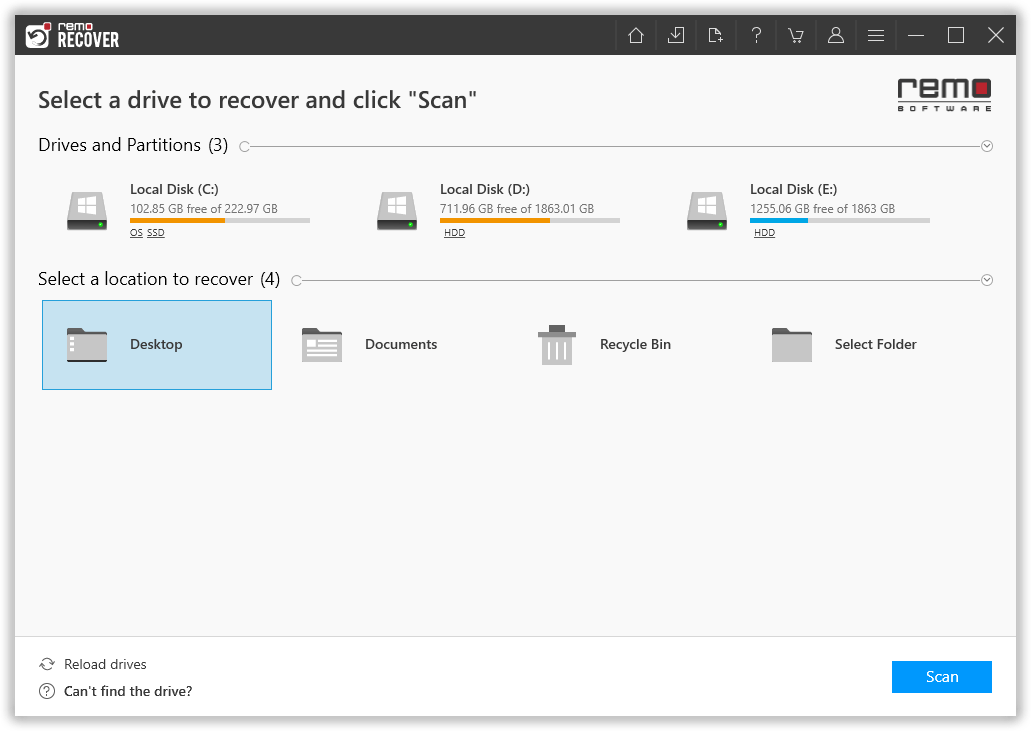
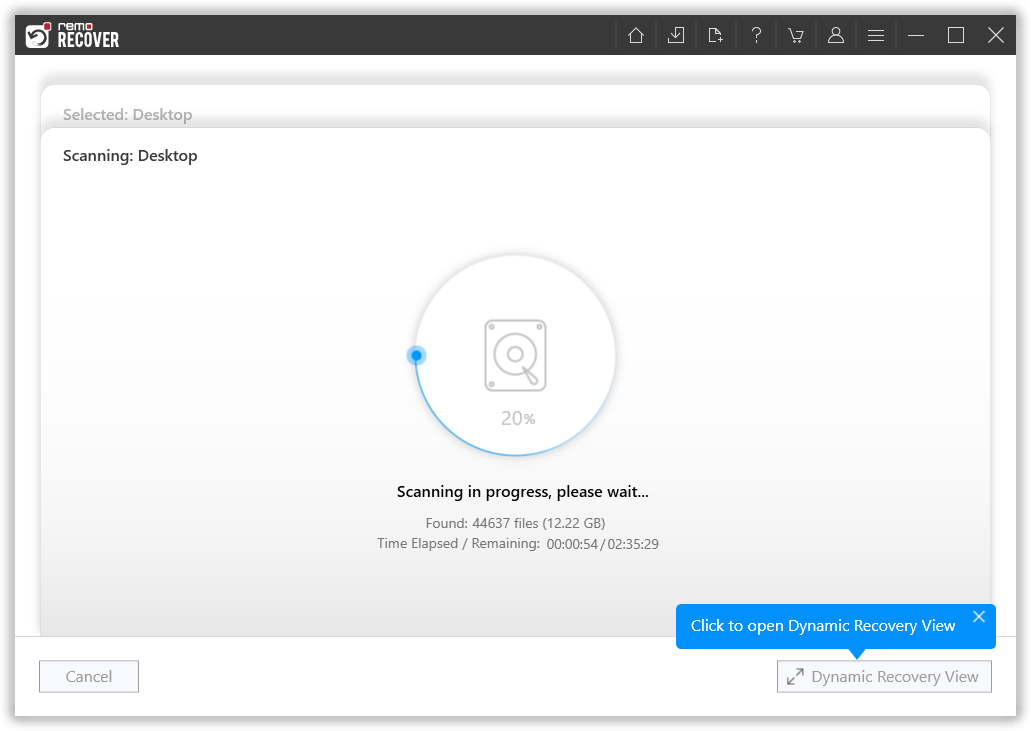
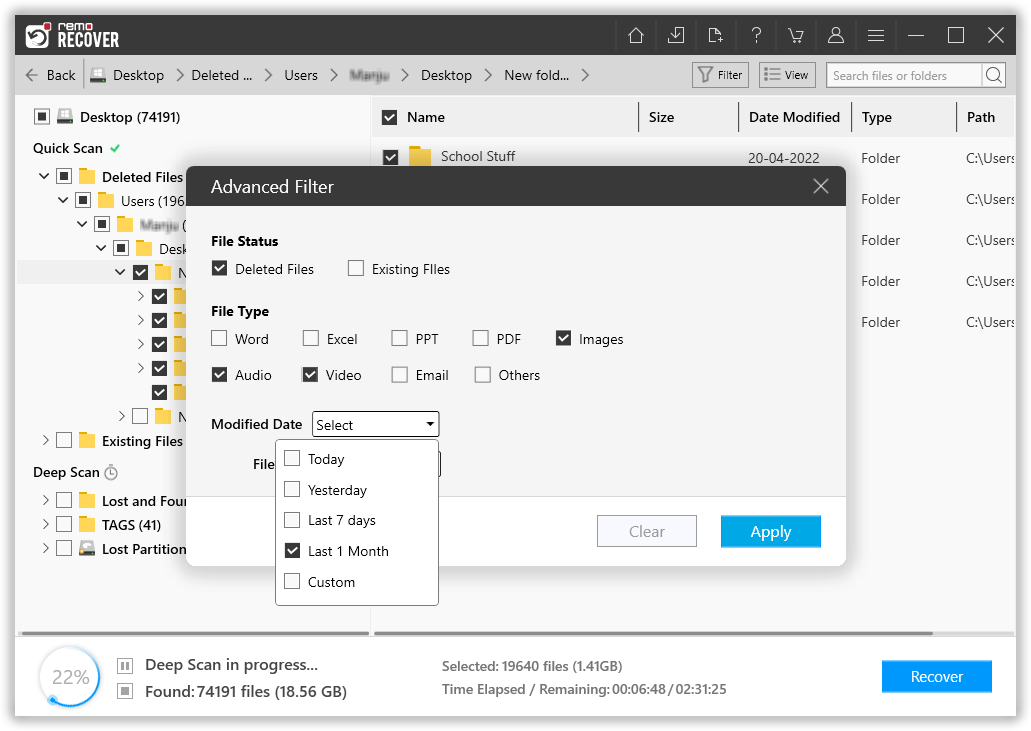
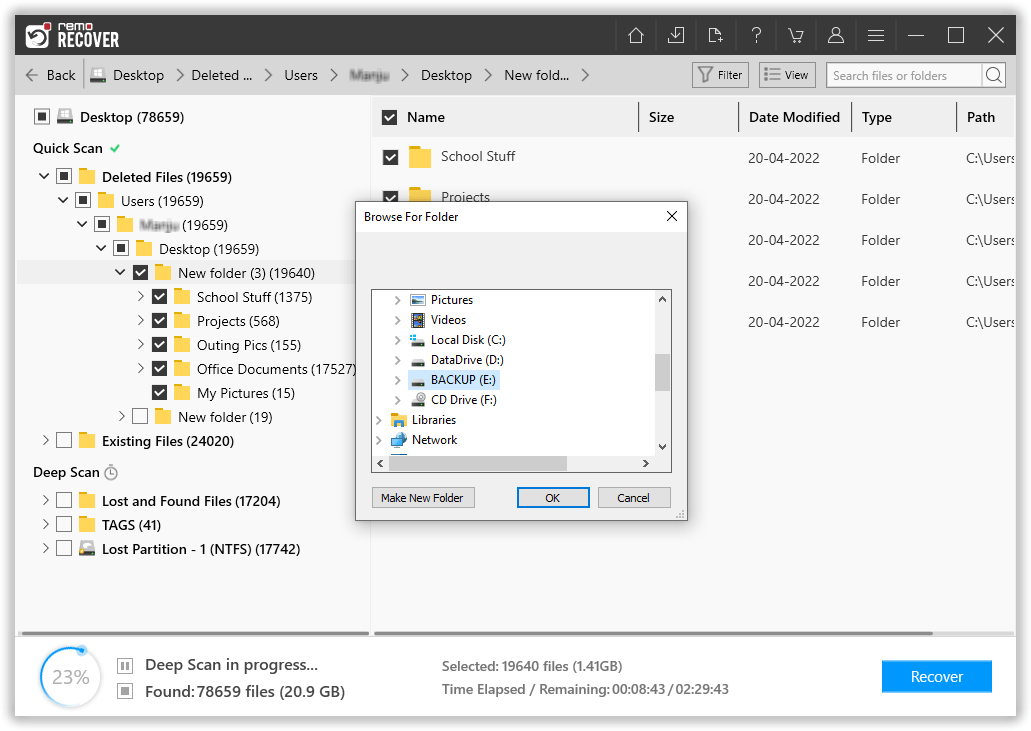
The HTML files that were deleted or missing earlier have now been safely recovered and restored in the location of your choice.
Bonus Tip: If you have lost important spreadsheet files such as XLXS, you can recover the lost XLXS files or PDF files from your computer with the help of the Remo file recovery tool.
Conclusion:
File deletion is one of the common problems faced by thousands of Windows and Mac users worldwide every month. But worry not; users lose all types of files, photos, and videos of their loved ones, important Office files, work presentations, etc. Losing HTML files is no different. Mentioned in this article are ways to recover not only deleted but also lost or missing HTML files from Windows and Mac computers. Recycle Bin, Backups, and a specialized file recovery tool can be extremely valuable when it comes to recovering deleted HTML files.

Why Choose Remo?
100% safeSecure
100% SatisfactionGuarantee
10 Million+Downloads
Free TechSupport
Live Chat24/7 Support

