
As a leading manufacturer of cameras, Canon has a vast history of producing cutting-edge cameras that cater to both professionals and enthusiasts from compact point-and-shoot cameras to high-end digital SLRs and mirrorless systems.
But Canon cameras also suffer data loss for various reasons like accidental deletion, corruption issues, interrupted transfer processes, etc.
Can I Recover Deleted Photos From My Canon Camera?
Yes, it is completely possible to recover photos from Canon camera using photo recovery software. First of all, we will advise you to stop using the camera, and SD card to avoid overwriting the photos with new image data.
Now you are aware that you need a photo recovery tool to perform Canon camera recovery, For the best recovery results, you need a tool that is compatible and efficient to recover deleted photos with minimal effort.
How to Recover Deleted Photos & Videos From Canon Camera?
Remo Recover is one efficient data recovery software that recovers photos and videos from all models of Canon EOS and PowerShot models like Ixus 185 HS, PowerShot SX740 HS, PowerShot G1 X Mark III, EOS 5D, Mark IV, Canon EOS rebel t3i and EOS rebel t6.
Not only that, the tool can detect any number of file formats like CR2, CRW, AMR, etc. The software is built with a deep scan feature to recover media files even after complex data loss scenarios.
Steps to Perform Canon Photo Recovery using Remo Recover
Remo Recover can understand and restore Canon photos in simple clicks, Follow the steps below to retrieve deleted photos from Canon camera.
Step 1: Download and Install Remo Recover on your computer.
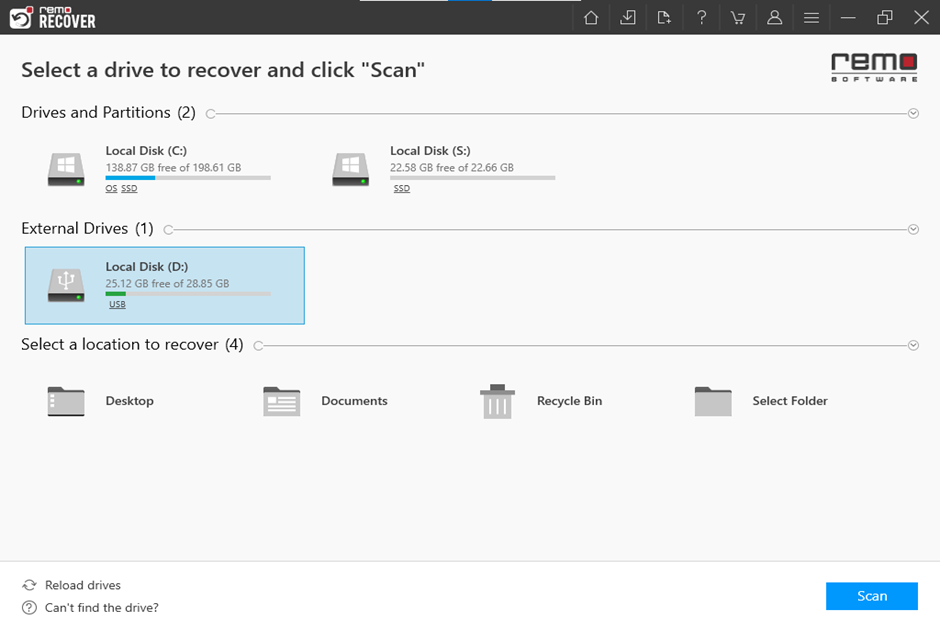
Step 2: Launch the software, select the SD card or CF card in which the photos and videos were stored, and click on Scan.
NOTE📌: If you couldn’t locate your device on the home screen then click on Can’t find the drive? option to locate them.
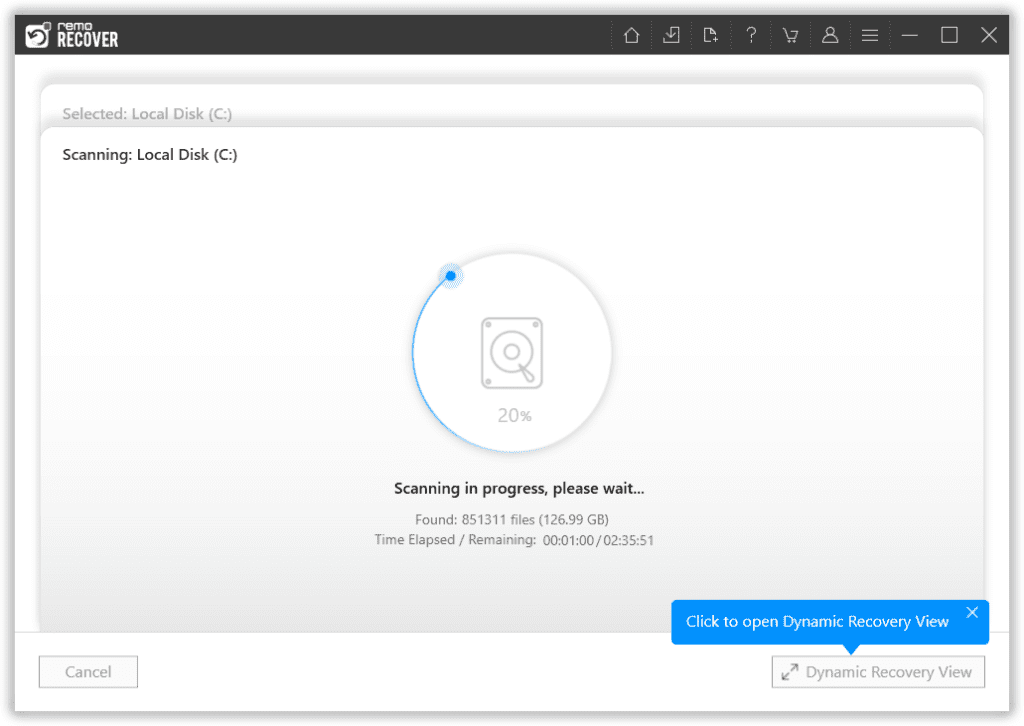
Step 3: Once the Quick scan is completed, you can click on Dynamic Recovery View to locate the recovered photos and videos.
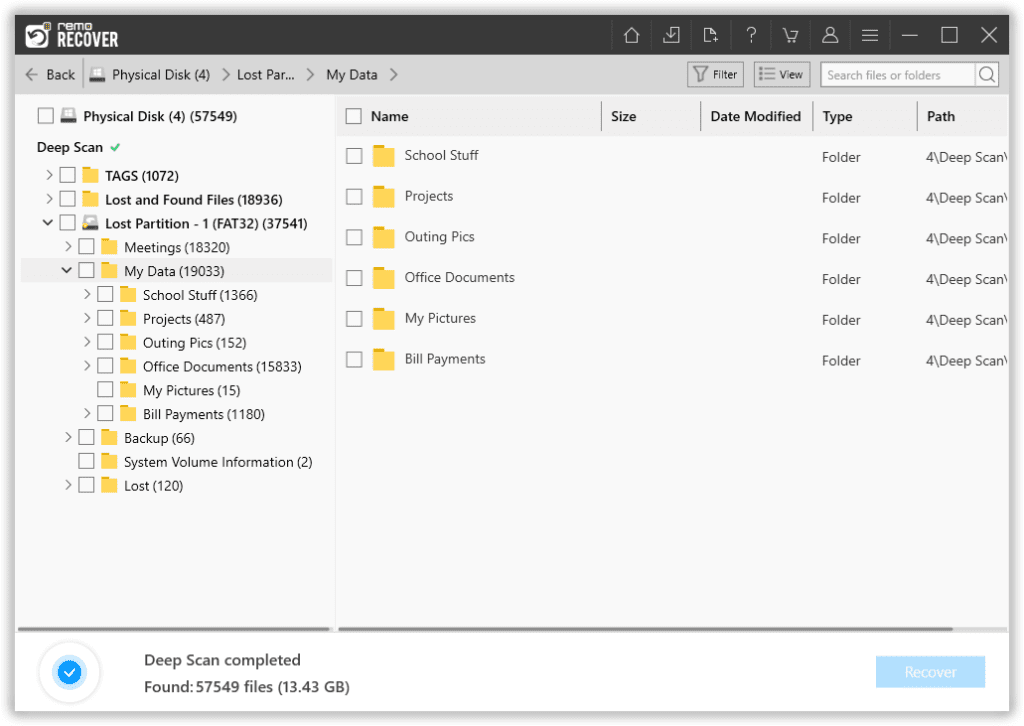
Step 4: You can locate your files under the Lost and Found Files and Deleted Files folder.
TIP💡: Make use of Advanced filter options to sort the image and video files separately or a Search box to search the photos and videos using their extension.
Step 5: Double-click on any recovered Canon photos and videos to preview them, Once satisfied with the results click on Recover to save them on your device.
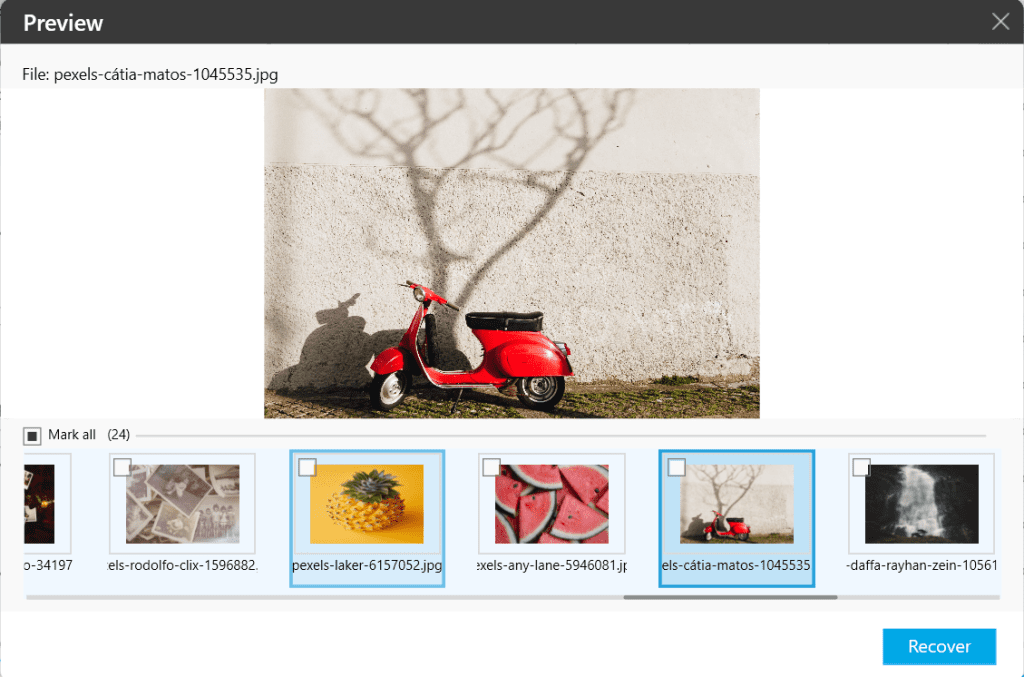
Caution🛑: Save the recovered photos and videos in a different folder or location from the previous one to avoid losing them.
ALSO: Not only from Canon cameras, but you can also recover images from Fujifilm, perform Sony camera recovery, as well as recover from Panasonic, Nikon, and other brands effortlessly.
Bonus info: If you have trouble playing your Canon MOV video files or any other video files, click here to learn how to repair MOV files and make them playable.
Dos and Don'ts to Avoid Photo Loss on Canon Camera in the Future
If you are aware of the reasons behind losing your photos and videos and taking appropriate precautions then you can be relieved from these anxious conditions.
| Do’s🟢 | Don'ts🔴 |
| Backup all the images and Videos from the camera. | Ignoring SD card error or camera error messages. |
| Check battery life before using the Canon camera to shoot. | Remove the battery or memory card during the shoot or while transferring to another device. |
| Use a Compatible and reliable memory card for your Canon camera | Avoid using non-branded SD cards that cannot withstand the read/write cycles from the cannon camera. |
| Keep the camera and the SD card under recommended conditions. | Exposing the camera and SD card to extreme physical conditions causes data loss it. |
Is it Possible to Restore Pictures From Canon Camera Internal Memory?
Modern Camera use MTP i.e., Media Transfer Protocol which prevents users and other devices from accessing the File System, so any data recovery software cannot recognize the Canon Camera's internal memory.
Conclusion
Most photographers capture moments that are non-recreational and Canon is one of the go-to camera brands out there If you have lost your beautiful portraits or landscape shots or a family group picture which is from a Canon camera we feel you.
We highly recommend you go ahead and try Remo Recover to recover deleted photos from Canon camera without scratching your head around it.
For physically damaged Canon Camera or SD card, you will need the help of Professional data recovery services, The experts have tools and equipment that can recover unrecognized devices as well. Also, remember they are more expensive than data recovery software.
Frequently Asked Questions
If your Canon camera is not recognized in the Windows 10 computer then:
- Check the USB driver.
- Try a different SD card reader.
- USB cable connection.
No, Canon cameras don’t have a recycle bin. The majority of the time, when you delete a photo from a Canon camera, it is irreversibly lost and cannot be restored without the aid of special software.
No, Canon cameras often don't come with internal memory for storing pictures and videos. Instead, they store image and video content on removable storage devices like SD cards or Compact Flash cards.
The lifespan of a Canon camera can vary depending on various factors such as usage, maintenance, and model. Generally, Canon cameras are well-built and can last for many years with proper care and maintenance.

