You might have a huge collection of photos taken during many important occasions in your Pentax camera. Due to accidental deletion or formatting, you might have lost those precious pictures. Luckily, you can get back your lost or deleted images from the Pentax camera. Continue reading the writeup to know more on how to recover photos that are lost or deleted from the Pentax camera.
Can you recover photos from the Pentax camera?
Yes, you can recover photos from the Pentax camera. When the photos or videos from your Pentax camera memory card is deleted, only the pointers will be deleted from the card. However, the photos still remain in the drive unless it is overwritten with new photos.
Hence, to increase the chance of recovery, it is advised not to use the camera or its memory card any further. Along with this, you also need to make use of a professional photo recovery software.
Which is the Best Software to Recover Photos from Pentax Camera?
Remo Photo Recovery tool has been specially designed to recover media files that have been lost or deleted from the Pentax camera. The tool is integrated with a powerful deep scan algorithm that scans every sector of the camera memory card and recovers deleted or lost images from it.
After scanning the entire camera card, it locates and sorts the recovered photos in an orderly manner. It also helps you recover photos that are deleted from all the series of the Pentax camera such as Pentax K-50, K-1, Pentax SFX, Pentax SF7/SF10, Pentax SFXn/SF1n, Pentax Z-1/PZ-1, and many more

How do I Recover Photos from Pentax Camera?
Download, and install Remo Photo Recovery software on your system. Connect the SD card of your Pentax camera to the system in which Remo Recover is installed and follow the steps as mentioned below.
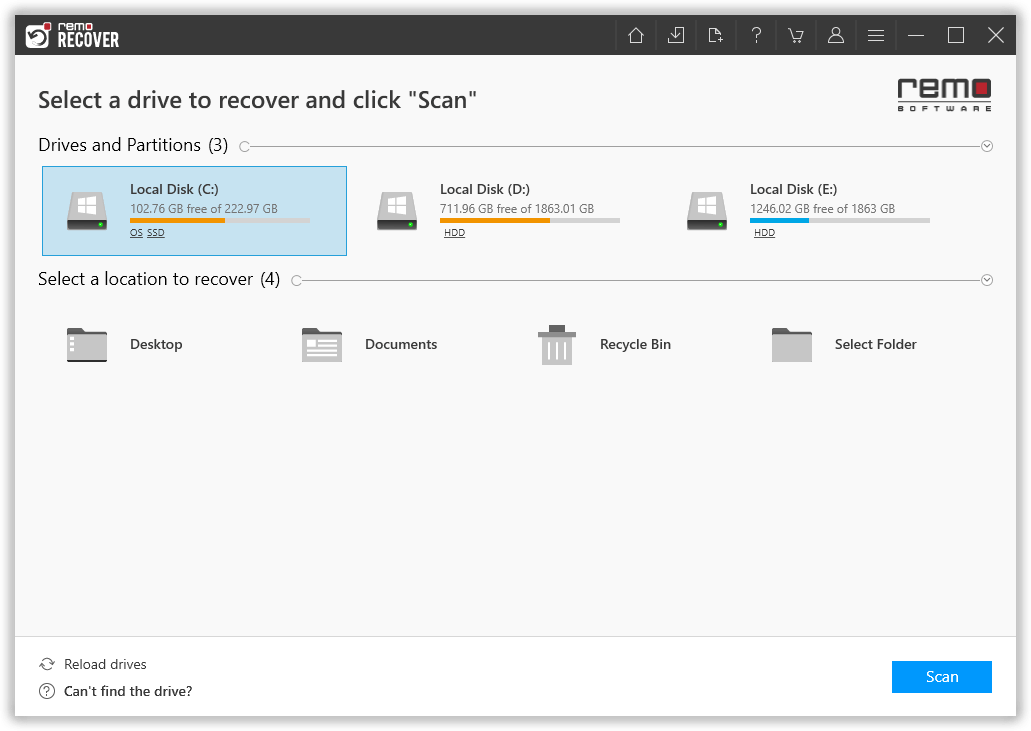
Step 1: Launch the tool and select the drive and click the Scan button to start recovering the photos from the Pentax camera card.
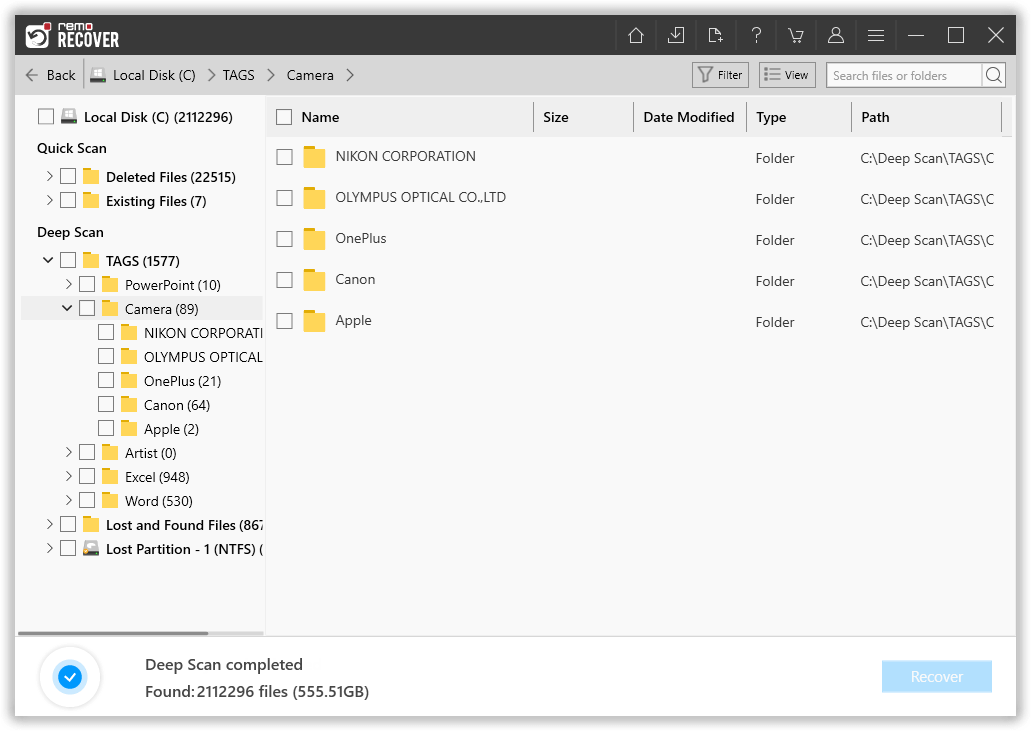
Step 2: Upon the beginning of the scan process, a list of recovered photo files will be displayed on the screen
Step 3: You can preview the recovered photos by just clicking on the file, and hitting the Preview option.

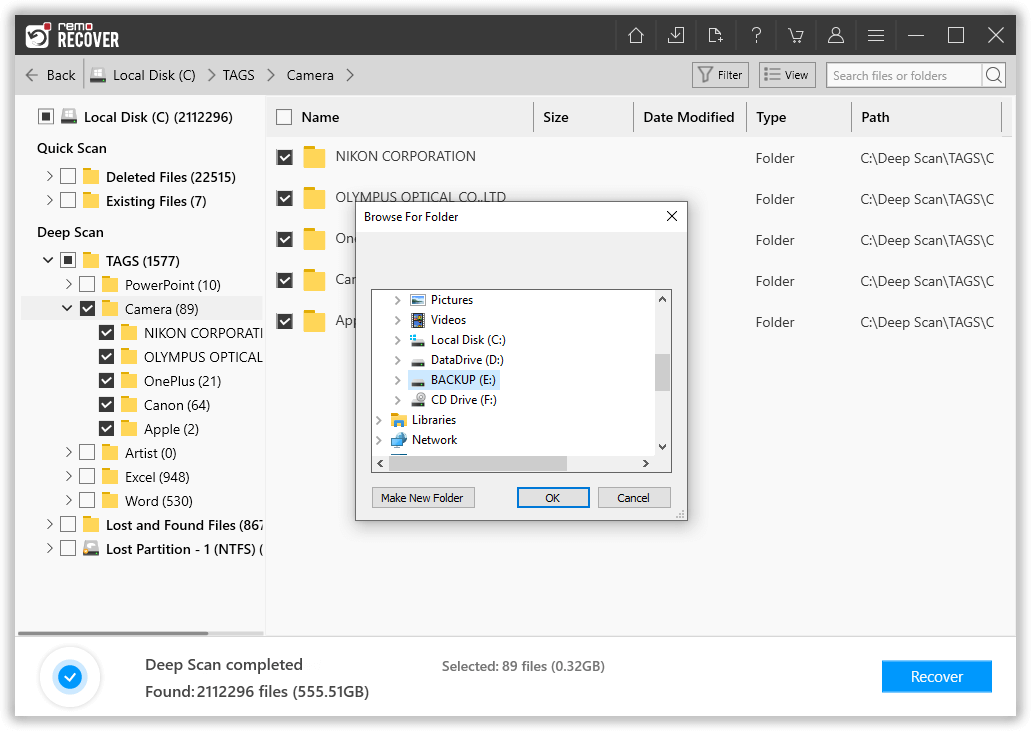
Step 4: Finally, select, and save the required photos from your Pentax Camera at the location of your choice by clicking on Recover button.
What else can Remo Recover do?
- The self-descriptive and intuitive nature of user interface makes Pentax digicam photo recovery process in a smooth way
- It has advanced recovery algorithms which can even retrieve RAW images such as PEF format, and other popular file formats like TIFF, TIF, JPEG, JPG, PNG, BMP, GIF, PSD etc.
- The software comes in Windows and Mac editions that is compatible with all OS versions including the latest Windows 10, and macOS Catalina, Mojave, High Sierra, and their earlier versions
- Not just the Pentax camera, it can also retrieve photos from Sanyo, Nikon, Sony, Panasonic, etc.
Causes for Photo loss from Pentax camera
Memory card corruption – Memory card may get corrupted due to improper handling, say, using the same card in multiple devices, due to which the file loss may occur
Interrupted file transfer – Interrupting file transfer from camera memory card to other devices may cause data loss
Human errors - Taking shots with a low battery camera or suddenly terminating the system during photo transfer may also result in data loss
Conclusion:
You can rely on Remo Photo Recovery software to retrieve photos from any camera brands. In case you find difficulties in recovering the photos, you can always reach out to the technical support team for assistance.