How to Recover Data From Seagate Hard Drive | Seagate Data Recovery
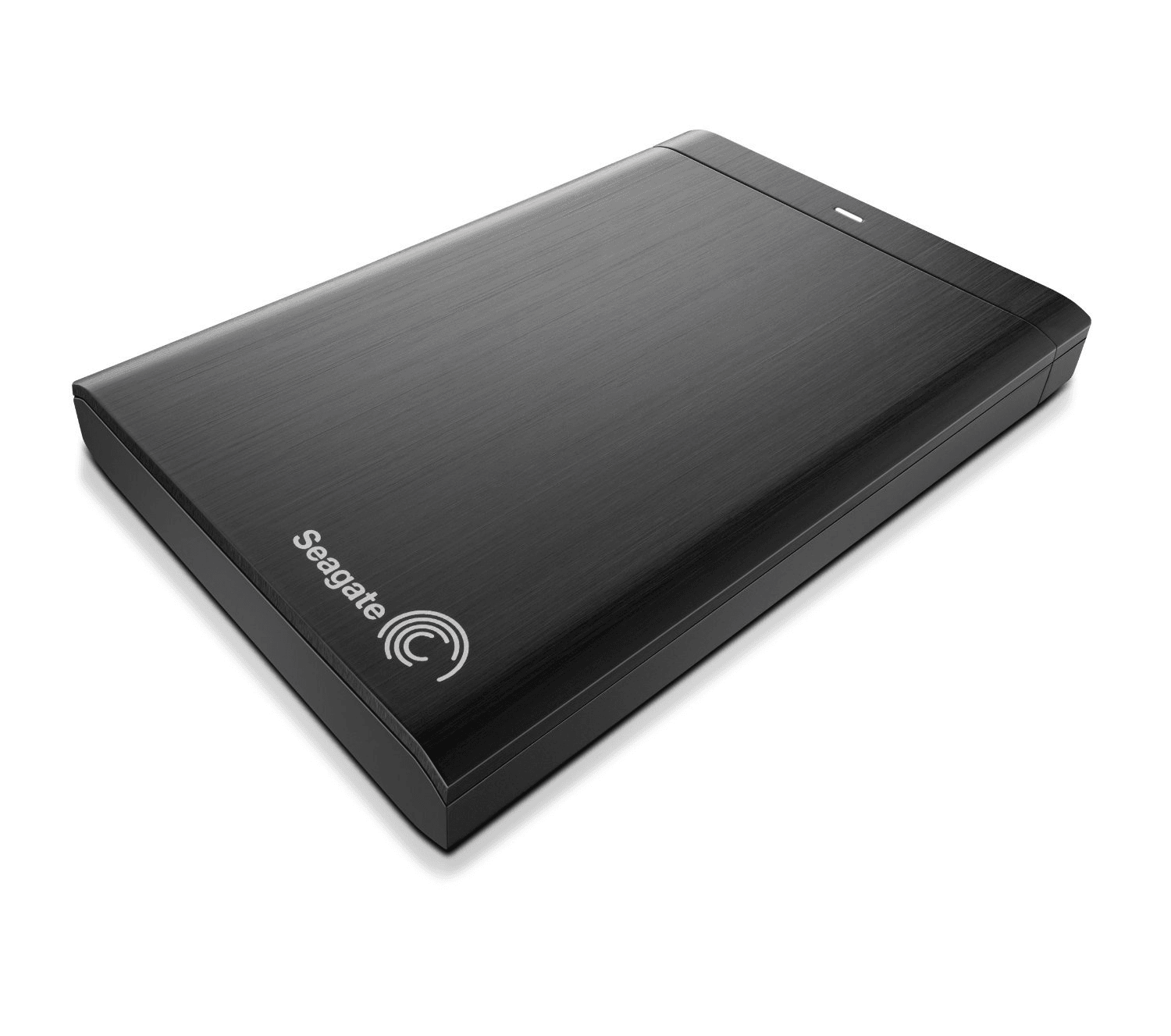
Are wondering how to recover data from Seagate hard drive? This article has everything you need. However, for the quick recovery make use of Remo Recover. It is built with a deep scan engine that scans every sector of the external HDD to recover data. Get back your deleted or lost data from any Seagate hard drives like Barracuda, Backup Plus, GoFlex, and many more in no time.
Seagate is one of the most popular storage device makers, well known for its durable hard drives and SSDs. With its fast, convenience, and capacity, Seagate has undoubtedly become one of the household names among external hard drives. However, with any storage device comes data loss, which can never be predicted.
Whether it's due to accidental deletion, hardware failure, or a corrupted file system, recovering data from Seagate hard drives is a common challenge. This guide explores various methods, ranging from software solutions to professional services, to help you retrieve valuable information from Seagate hard drives.
Below we have added three tried and tested methods to help you recover files from your Seagate external hard drive
Method 1: Using Professional Data Recovery Software
When dealing with logical data loss, professional data recovery software like Remo Recover stands out. Remo Recover boasts the capability to retrieve over 500 file formats and supports all Seagate hard drive models, including popular ones like the Seagate Backup Plus and Seagate Barracuda. Follow the below simple steps to recover files from Seagate external hard drive:
Download Remo Recover, which comes with both Windows and Mac versions. Choose the appropriate version based on your Operating System and install it on your computer.
Connect your Seagate external hard drive using a proper USB cable and ensure that it is properly connected.
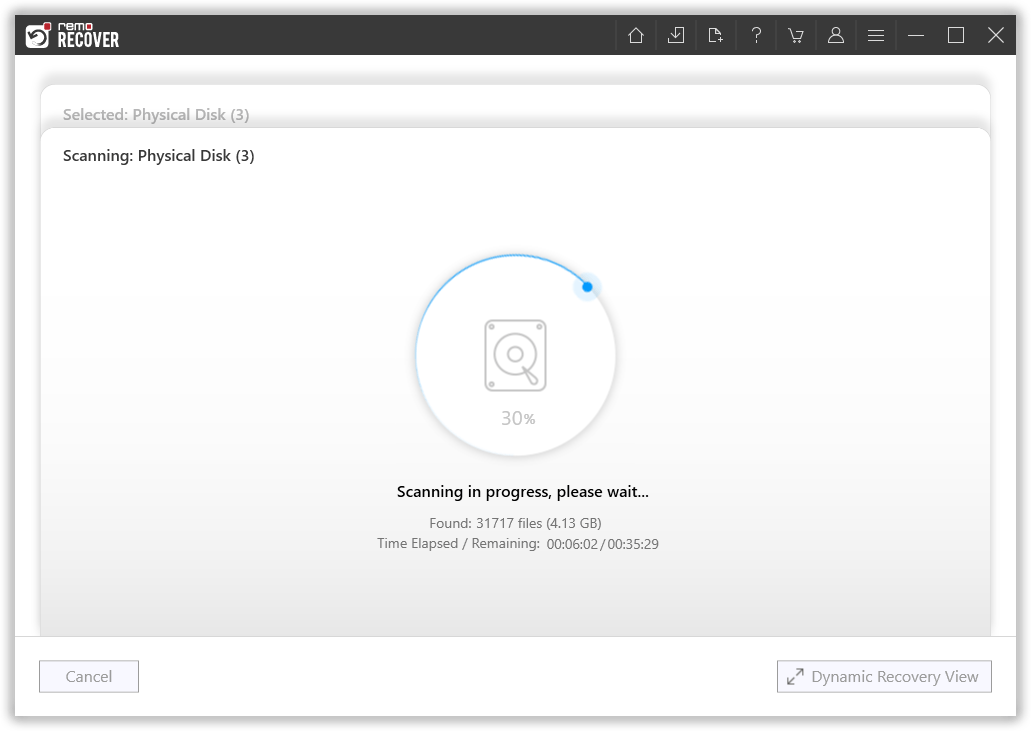
Launch the tool and select the Seagate external hard drive. Click on the "Scan" button to initiate the Seagate data recovery process.
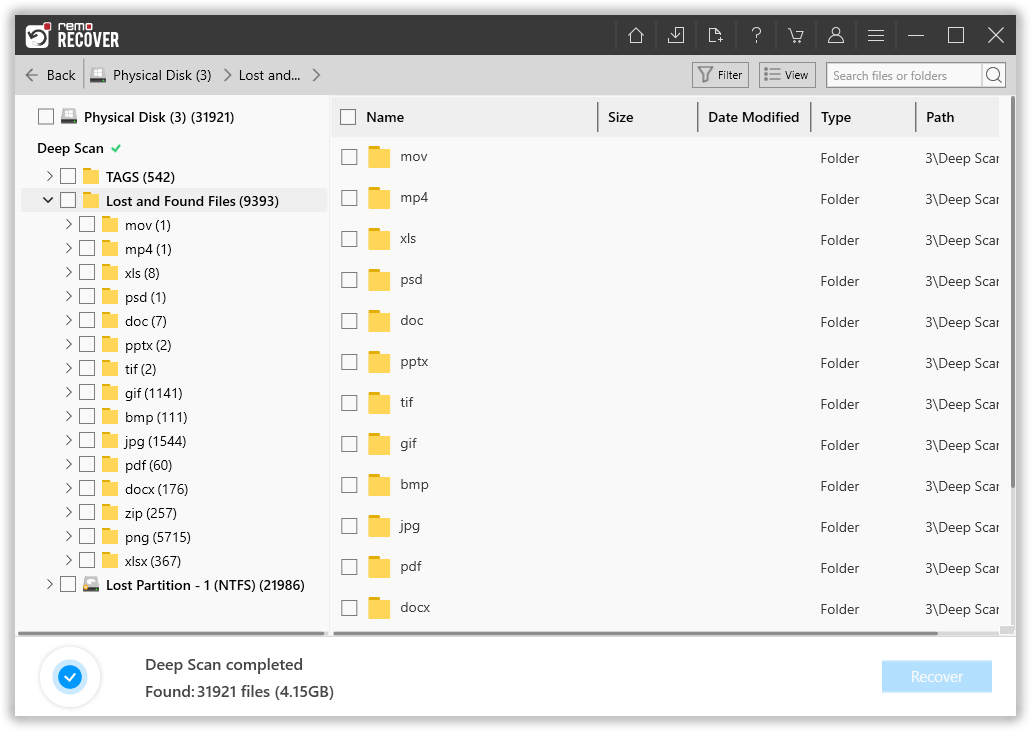
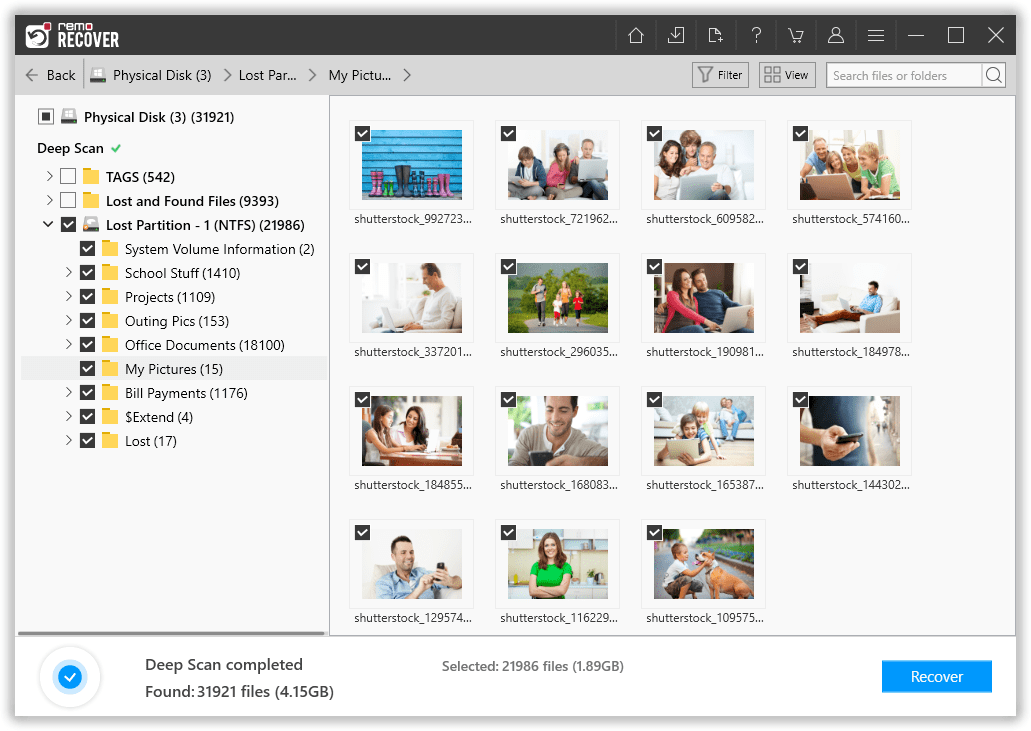
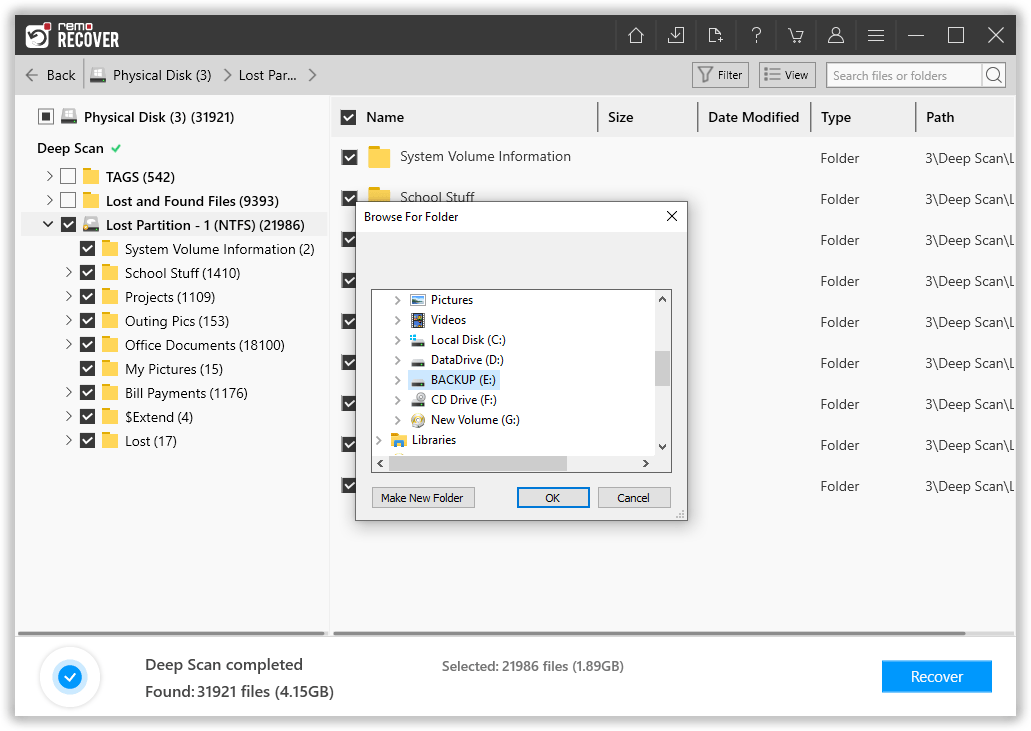
Once the scan process is complete, you will find all the recovered files under the "Lost and Found" folder or the "Lost Partition" folder.
Utilize the built-in handy features of this tool for searching and sorting files, such as the Advanced Filter, Search Box, Preview, Tags, and more.
Select the files you wish to recover and click the "Recover" button. When prompted, choose a safe location and click "OK" to complete the Seagate data recovery process.
You can recover data from your Seagate hard drive using a reliable data recovery program like Remo Recover, even if it is corrupted, undetected, or unreadable in File Explorer. But, for your Operating System to read it correctly, you must reapir your Seagate hard drive before using it regularly again. Refer to this article on Seagate external hard drive not working to repair the drive.
Method 2: Use Open Source Free Software - PhotoRec
The open-source software PhotoRec is a useful resource for anyone looking for a free method to recover files from Seagate hard drives. Its UI might not be the most user-friendly, but it does a great job at recovering deleted files from Seagate hard disks for free.
Download the PhotoRec zip file from CGSecurity.
Extract the file and open the "photorec_win" executable.
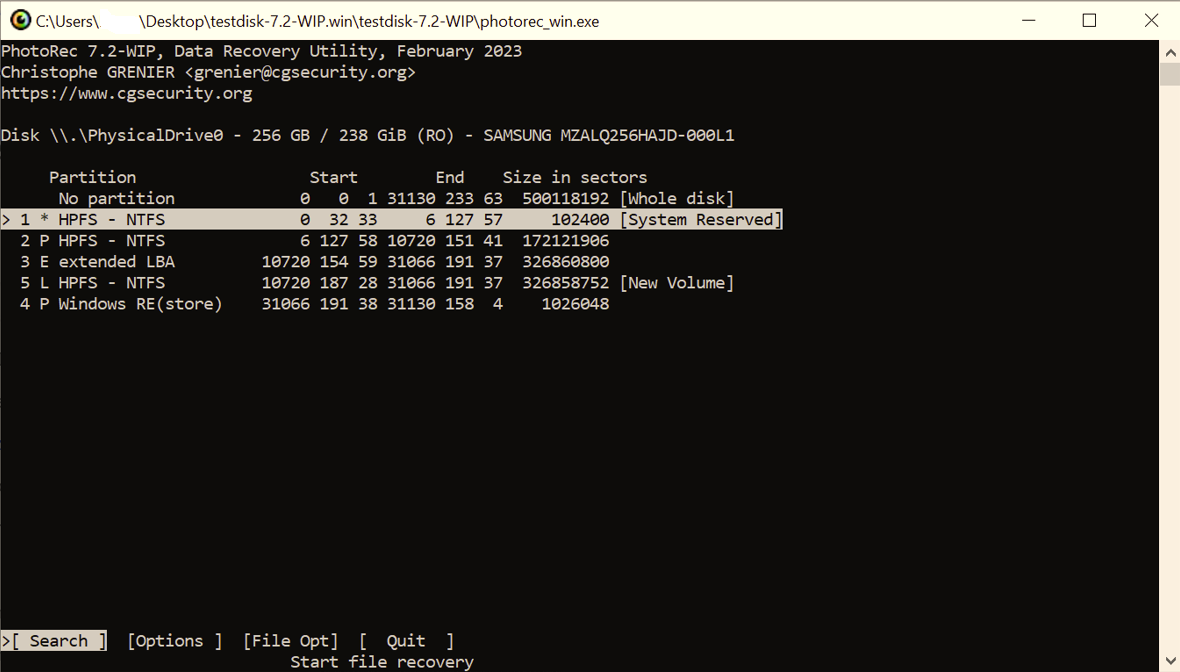
Use the arrow keys to select the Seagate External Hard Drive.
Press Enter to confirm the selection.
Choose "Search for data recovery" and press Enter to initiate recovery.
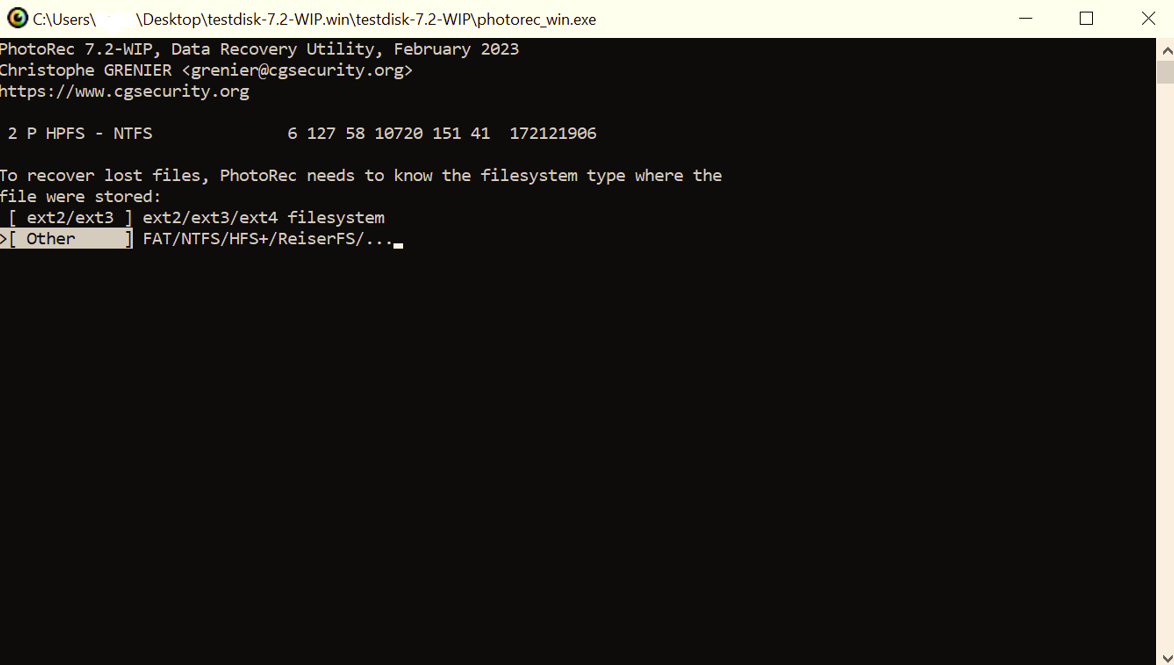
Specify the file system type used on the Seagate external hard drive.
Use arrow keys to select the recovery destination.
Press the "C" key to start the Seagate external hard drive recovery process.
Method 3: Consult Seagate Data Recovery Services
In severe cases involving physical damage or mechanical failure, Seagate data recovery software might prove insufficient. This is when professional data recovery services become crucial.
a) Local Data Recovery Services:
Consider the following points when choosing a local data recovery service:
Look for services with positive reviews and a track record of successful recoveries.
Ensure the service provider has experience with Seagate hard drives.
Choose a service that offers a free evaluation of your drive before committing to recovery.
Compare pricing structures and choose a service that aligns with your budget.
b) Rescue Data Recovery Services:
In dire situations where critical data is at stake, Seagate's official data recovery service, Rescue, is a reliable option. Here's how to opt for Rescue:
Contact Seagate support, furnishing the necessary details about your claim.
Receive a prepaid shipping label through email to dispatch your damaged Seagate hard drive to the designated lab.
Stay informed about the status of your case through regular email updates.
Allow 30 business days for the attempted Seagate data recovery process.
Obtain your recovered data on an encrypted storage device for added security.
Opt for secure destruction of your drive or request its return via mail based on your preference.
For any inquiries regarding In-Lab Recovery Services, reach out to the Seagate support.
Common Data Loss Scenarios on Seagate External Hard Drive
Seagate external hard drives are generally reliable, but they can still experience data loss. Some reasons for data loss include:
Hardware Failure: Physical components (mechanical or electronic) can fail, making the Seagate hard drive inaccessible. You might see issues like Seagate hard drive light on but not detected due to hardware failure.
Improper Ejection: Removing the Seagate external hard drive without proper ejection can lead to data corruption and potential loss.
Conclusion
Recovering data from Seagate hard drives demands a tailored approach based on the nature of the data loss. Whether utilizing user-friendly software, open-source solutions, or resorting to professional services like Seagate's Rescue, understanding the available options equips you with the necessary tools to retrieve your valuable information. Remember, the key is to act promptly and choose the method that aligns with the specific circumstances of your data loss.