Safely recover MPG or MPEG files that are lost or deleted from different storage devices using Remo Recover software in few clicks. For deleted MPG files, lost MPG files due to formatting, corruption, during transfer, virus attacks or any reason, Remo Photo Recovery is the perfect pick! Download the software and get your free trial now!
MPG (Moving Picture Experts Group) which is also known as MPEG is one of the most prominently used formats to save video files. The .mpg video files (with MPEG-1 and MPEG-2 encoding standards) are compatible on various multimedia players like Windows Media Player, QuickTime Player, VLC and so on. Interruption during transfer of MPG files or bad sectors on the storage medium makes your MPG file inaccessible. This leads to loss of MPG files. Luckily, your MPG video files can be recovered with the help of a professional video recovery software. Read till the end to know more.
If you are one of the users who has lost or deleted an MPG file and are wondering how to recover it this article is for you. Here, in this read-up you will learn effective solutions to recover MPG files effortlessly. Before moving ahead with solutions let us first understand common scenarios for data loss
What Leads to Loss of MPG Files?
Accidentally formatting your storage drive when an MPG video file was present in it
Interruptions while transferring your MPG video like abrupt removal of memory card or sudden system shut down results in MPG video loss
Inaccessible drive or partition due to bad sectors or logical errors that forces you to perform format
Virus attack, file system corruption, software conflicts, etc. are the other reasons for loss of MPG files
With power scanning & video recovery capability, Remo MPG recovery software can easily recover MPG files under any data loss situation from your Windows or Mac system. Memory cards (SD, Micro SD, MMC cards, CF, XD cards), external hard disk, USB stick, iPods & other storage media are also supported! Get started with a free trial now!
Remo Recover utility easily restores missing, deleted, corrupted MPG video files from various storage devices. Losing MPG files due to formatting, corruption, interruptions, accidental deletion, or virus attacks cannot stop Remo Recover from efficiently performing video file recovery.
Even when the hard drive (with MPG files) contains bad sectors, you can perform recovery by using the ‘Create Disk image’. It will make an exact replica of hard drive by omitting the bad sectors and retrieve MPG files from it.
The video recovery software not only recovers MPG files, but it also performs AVI file recovery, MOV video recovery, MP4 file recovery, and other video files which are deleted or lost. Apart from recovering MPG files, it will recover photos, text files, music files, zip files and many more in just few clicks.
How to Perform MPG File Recovery?
Download and install the Remo Recover and follow the steps below to recover MPG files:
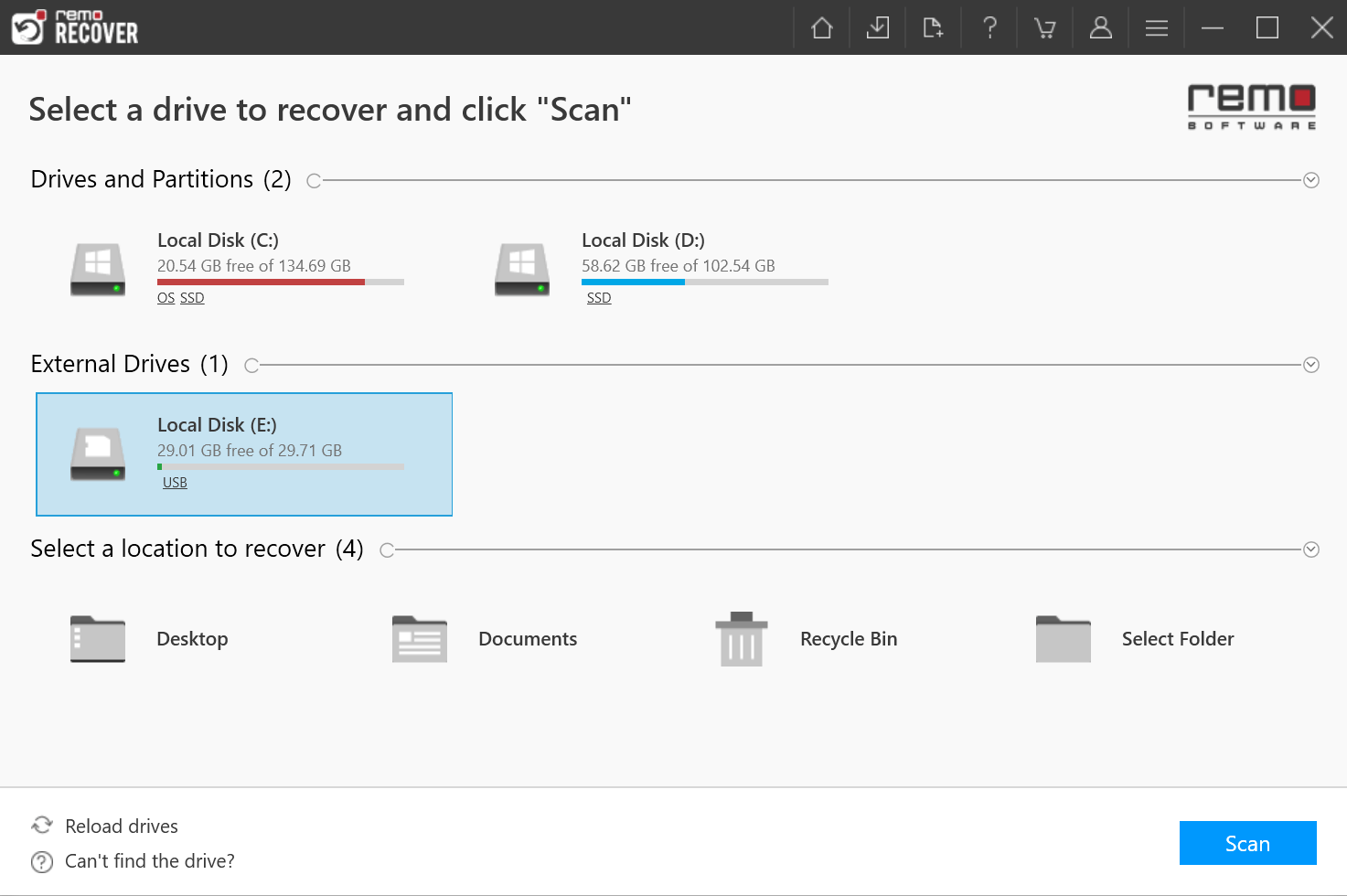
Step 1: Launch the Remo Recover, choose a drive or partition from which the MPG video files has to be retrieved and click on the Scan button to initiate the drive scanning process.
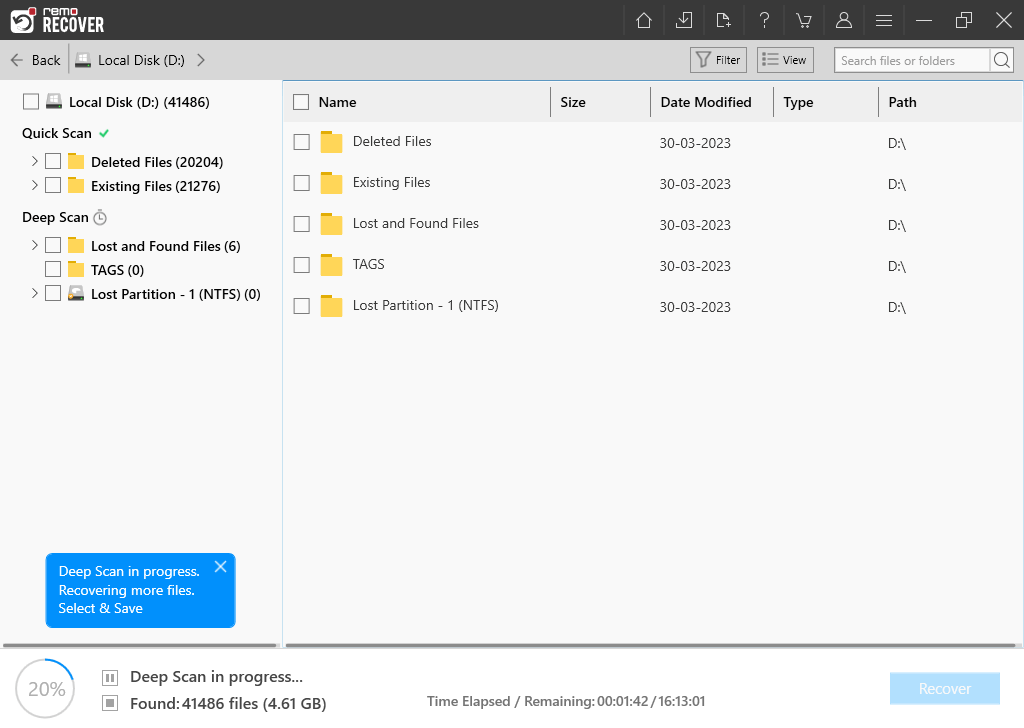
Step 2: After completion of the scanning process, a list of recovered files will be presented to the user.
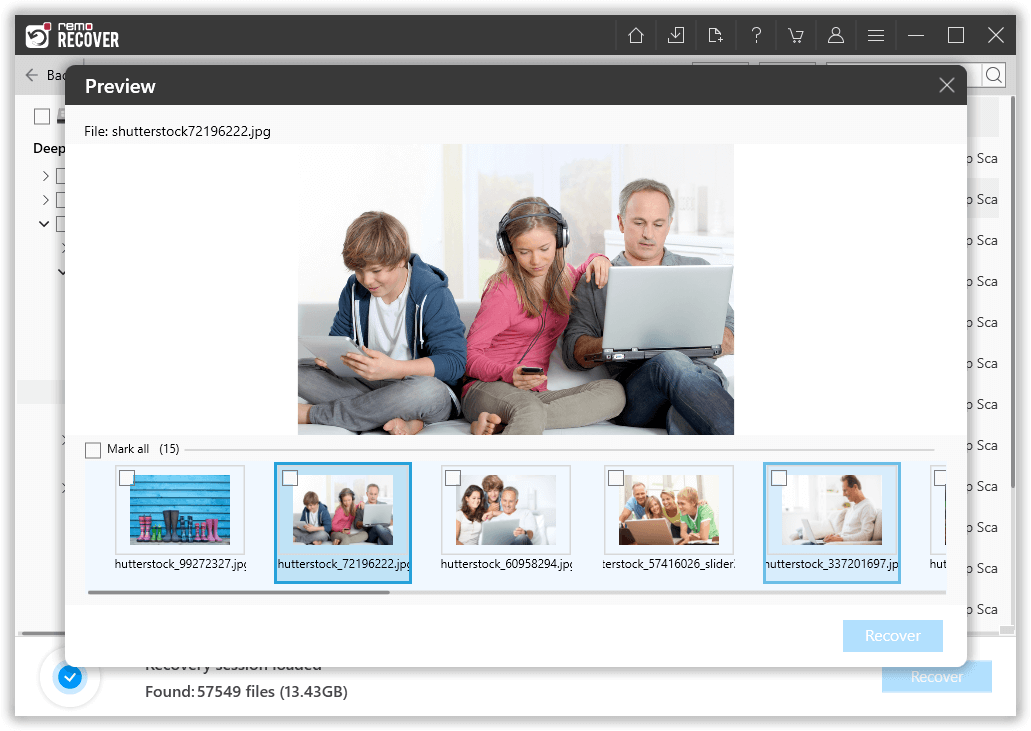
Step 3: Double click on the file to Preview and validate the recovered MPG files.
If you are satisfied with the recovery session select the files you would like to retrieve and click on the Recover button and select a location where you want to save the recovered MPG files.
However, this process only works to recover the deleted video files, since virus infection also deletes the video files you need a video repair tool to fix the MP4 videos.
How To Play MPG Files?
MPG video file is a very commonly used video file format it can be played by various common media players like:
VLC
QuickTime Player
iTunes
Windows Media Player
KMPlayer
How to Prevent MPG Video File Loss in Future?
Maintain extra copy of video files as backup on other storage devices; backup is everything when it comes to images & videos.
Always double check whether you have selected the correct file for deletion
Do not eject external storage device//turn OFF computer during a data transfer process
Never format the storage device without having a backup of all data on the device
Conclusion
Due to various reasons like abrupt removal of flash drives and not maintaining a backup of their MPG video files get lost or get corrupted.In case of recovery, Remo Recover comes in handy for recovering your deleted or corrupt MPG video file.