
Remo Duplicate Photos Remover
Don’t need it, then why keep it?
Regain your storage space by removing duplicates photos
Don’t need it, then why keep it?
Regain your storage space by removing duplicates photos
Award-Winning Features of Remo Duplicate Photo Remover tool
Surprisingly Easy GUI
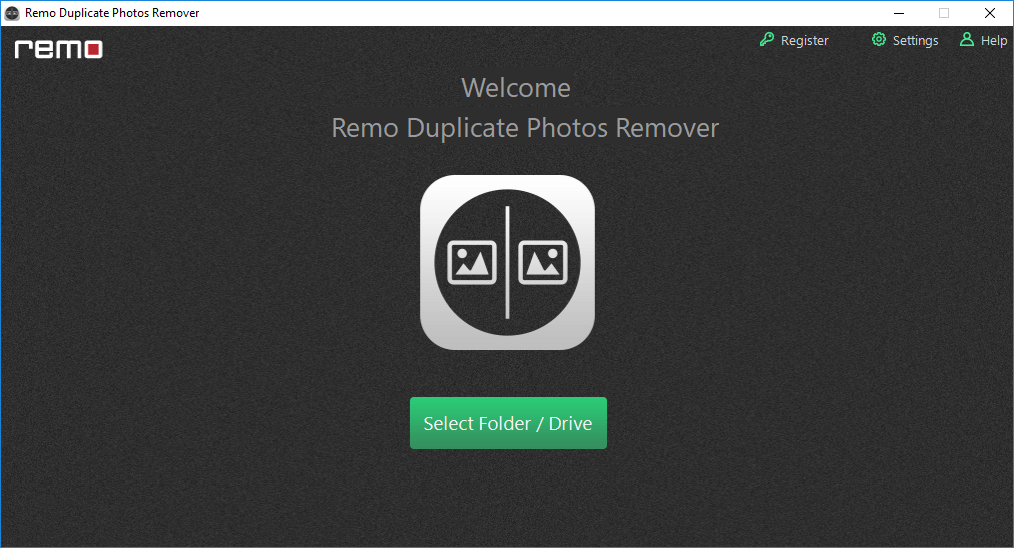
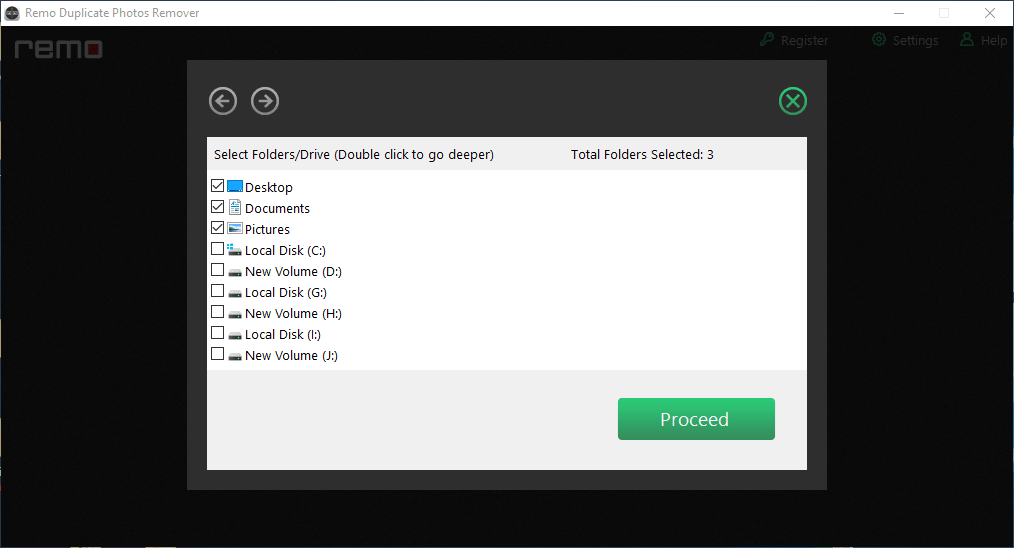
No matter in which folder or drive, the duplicate photos are scattered, with Remo Duplicate Photos Remover it is as easy as find, select and delete.
Choose What To Let Go
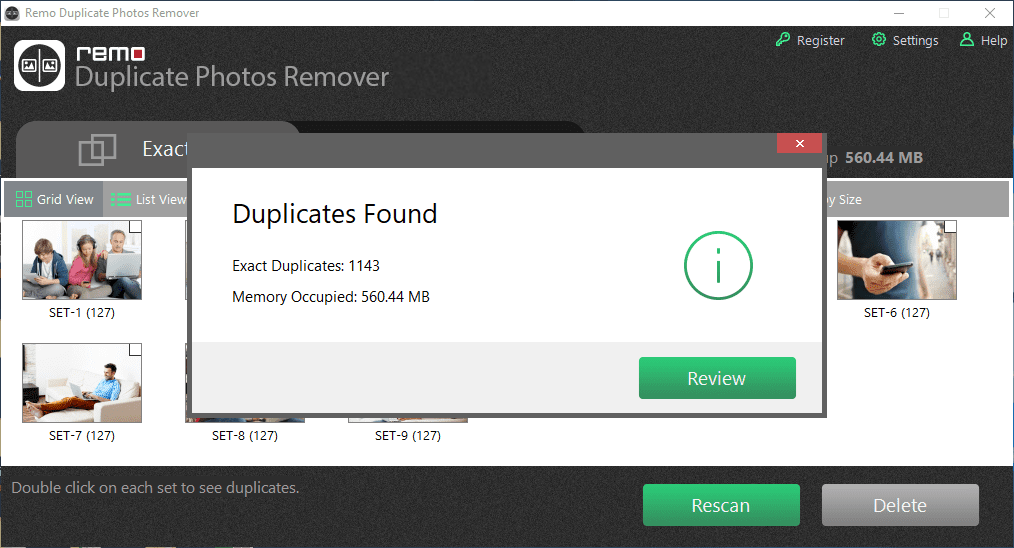
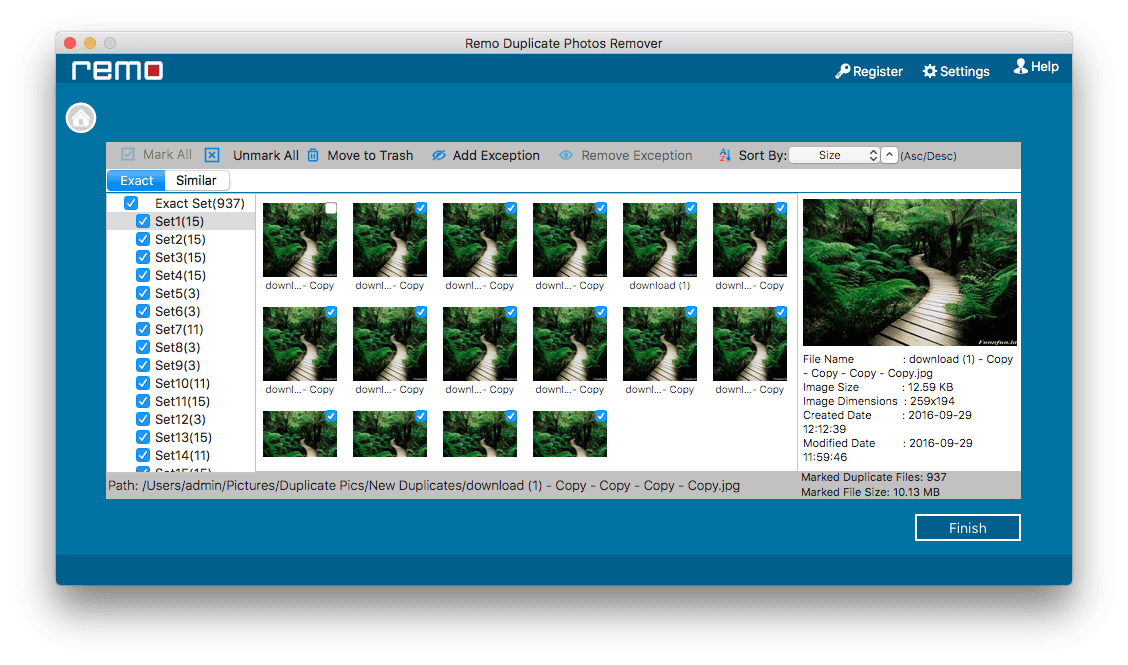
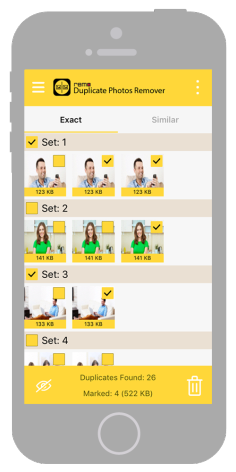
After the scan, the software clearly displays all the duplicate photos found on the drive so that you don’t end up accidentally deleting any important photos.
Filter, Sort And Delete
Remo Duplicate File Finder comes with multiple handy filters to help you delete duplicate photos based on your priority such as date and size.
Customized Deletion Process
Instead of being an automatic duplicate photo remover, Remo is designed with a customized process where users get to choose which duplicate photos can be retained.
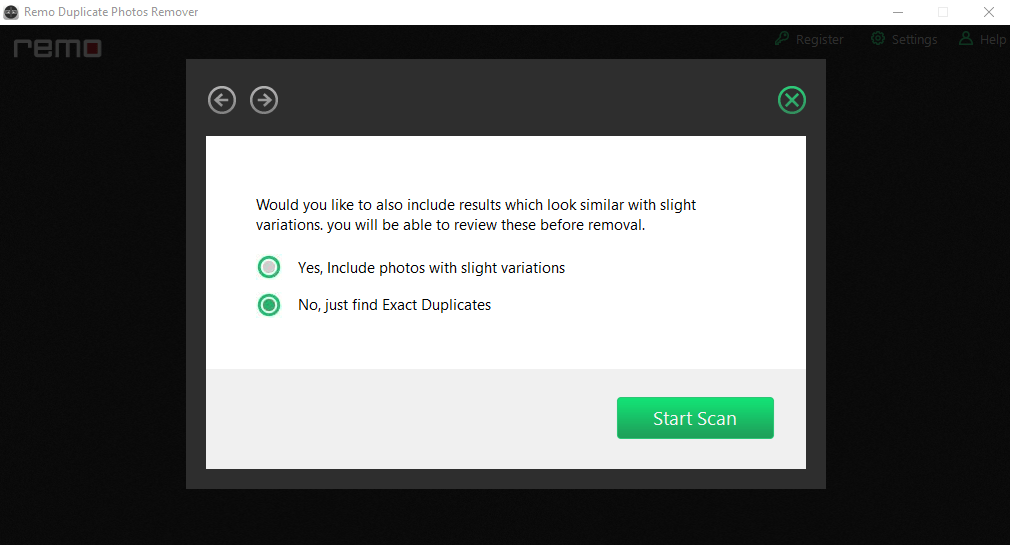
Also Deletes Similar Photos
Along with the deletion of exact duplicate photos, Remo Duplicate Photos Remover can also remove similar looking photos on Windows, Mac, Android, and iOS devices.
Delete Duplicate Photos Of Any Format
The software is equally effective in removing duplicate photos of any format like JPG, PNG, JPEG, TIFF, GIF, etc. from Windows, Mac, Android, or iOS devices.
Optimize And Regain Storage Space
Remo Duplicate Photos Remover is one of the best duplicate photo remover tools for optimizing any drive to regain storage space occupied by the duplicate images.
Delete Duplicate Photos Shot From Any Device
Remo Duplicate Photos Remover supports deletion of duplicate photos captured from any brand of camera or device.
Let's Get Rid of Duplicate Photos
With the revolution in cell phone technology, photography on phone has no bounds. We all have a habit of taking multiple photos from the same angle. No doubt, it is nothing wrong to take multiple photos or turn on the burst mode to get that one best snap. But one downside is the duplicate photos. Duplicate photos are not just snapped from your camera, they can also be multiple forwards from different groups on messaging platforms like WhatsApp, Telegram, etc. They can really eat up a lot of storage space and you wouldn't even realize it. Duplicate photos not only reduce the storage space of your computer drive, memory card, or SmartPhone but also clutters your Photo Album.
Irrespective of the reason that you can store thousands of photos on your memory card or any other storage drive based on its storage capacity, 17% of photos in a typical device are identical copies of the original apart from those look-alike images, which also consume a chunk of your memory, thereby it reduces storage space and affects the device performance.
If there are tons of duplicate photos saved on your Windows, Mac, Camera SD card, or Mobile Phone, then they definitely occupy a huge amount of storage space. The best and easiest way of optimizing your device for duplicate images is by making use of the Remo Duplicate Photos Remover tool.
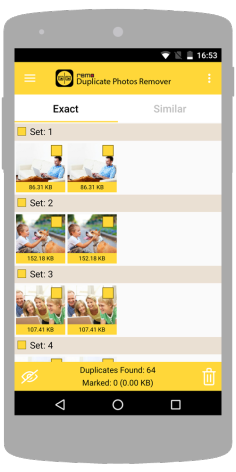
Remo Duplicate Photos Remover tool works with the proprietary intelligent De-Dupe Algorithm to scan for identical or similar photos on your device and displays them in sets, serving you with the option to delete the identical photos. The best part is that even if you delete the entire set, it will ensure the original copy of the photo is still with you.
Compatibility: For different Operating systems like Windows, Mac, iOS & Android, the tool has a different build. This tool is compatible with all the latest versions of Android, iOS, Windows, and Mac operating systems including Windows 11 and macOS Big Sur.
Note: Remo Duplicate Photos Remover for PC supports deleting duplicate photos from the internal hard drive and the external drives connected to it locally. But it cannot access network or mapped drives due to permission restrictions.
Why Choose Remo Duplicate Photos Remover tool
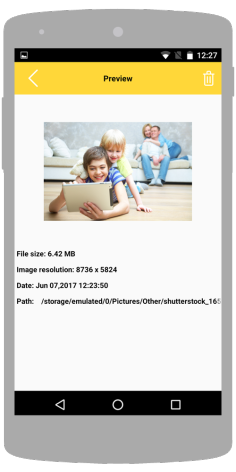
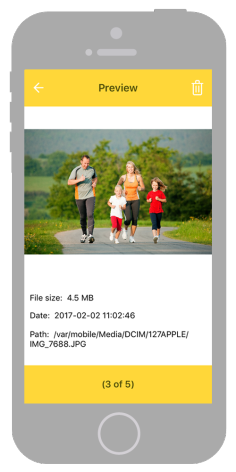
Remo Duplicate Photos Finder is an advanced tool to find and delete duplicate photos with ease. The tool also provides a preview of all the duplicate photos located on the drive prior to deletion.
Remove all your sent or received duplicate photos from multiple contacts on WhatsApp, FaceBook, Twitter, or any other instant messaging application on your Mobile Phone for free.
Remo Duplicate Photo Remover is an easy-to-use application that saves a lot of your time by eliminating the manual efforts of locating and deleting duplicate photos on your entire device.
This Duplicate Photo Remover tool helps you regain several GBs of storage space by removing all duplicate photos located on your Android, iOS, camera memory card, Windows, or Mac easily.
Remo Duplicate photos finder tool easily locates and removes various formats of duplicate photos, resized images, and similar-looking pictures in just a few simple clicks.
Expert Reviews

"...An easy way to find and delete duplicate photos is the Remo Duplicate Photos Remover app. This app was built to locate, preview and delete multiple copies of your photos. You can also use it to quickly remove duplicates created by messaging and social media apps..."
- usatoday.com

"...Remo focuses on getting rid of duplicate images on your phone...This is incredibly useful for people who often share their images on social media, since each social app tends to save its own local copy of an image…"
- makeuseof.com

"...Instantly scan your gadget’s memory and delete duplicate files using the Remo Duplicate Photos Remover app. This is a free app for iOS and Android devices..."
- komando.com

"…We've tried a free option called Remo Duplicate Photos Remover...it took about three minutes for us, but it depends on how many photos you've got...Once you've cleared out the exact duplicates (which ought to be easy), you can move on to the near-duplicates, which are listed under the Similar tab…"
- macworld.com
Steps to delete Duplicate photos on Windows computer
To remove the unwanted duplicate photos on Windows 11, 10, 8, 8.1, 7 and its previous OS versions, first click on the Buy Now button for Windows to install the licensed version of Remo Duplicate Photos Remover Program on your Windows computer, and then follow the below simple steps
Steps to delete Duplicate images on Mac computer
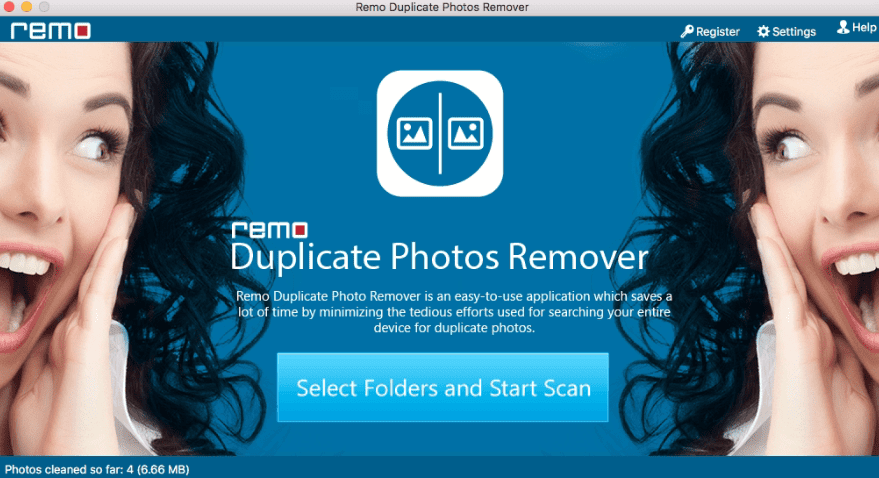
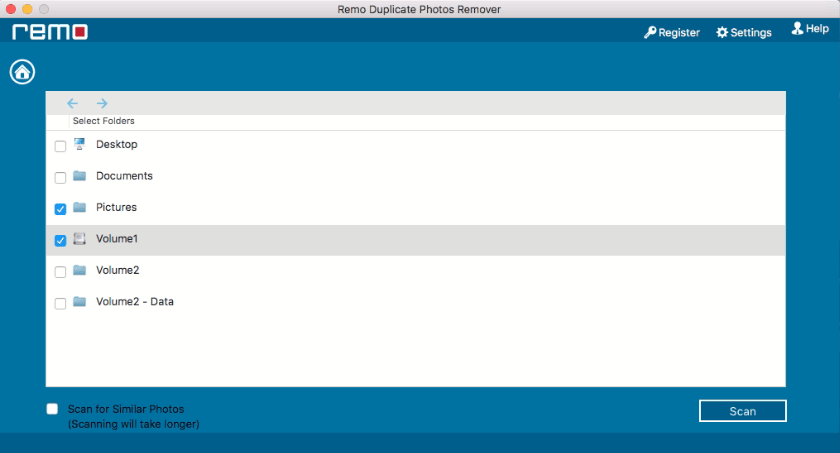
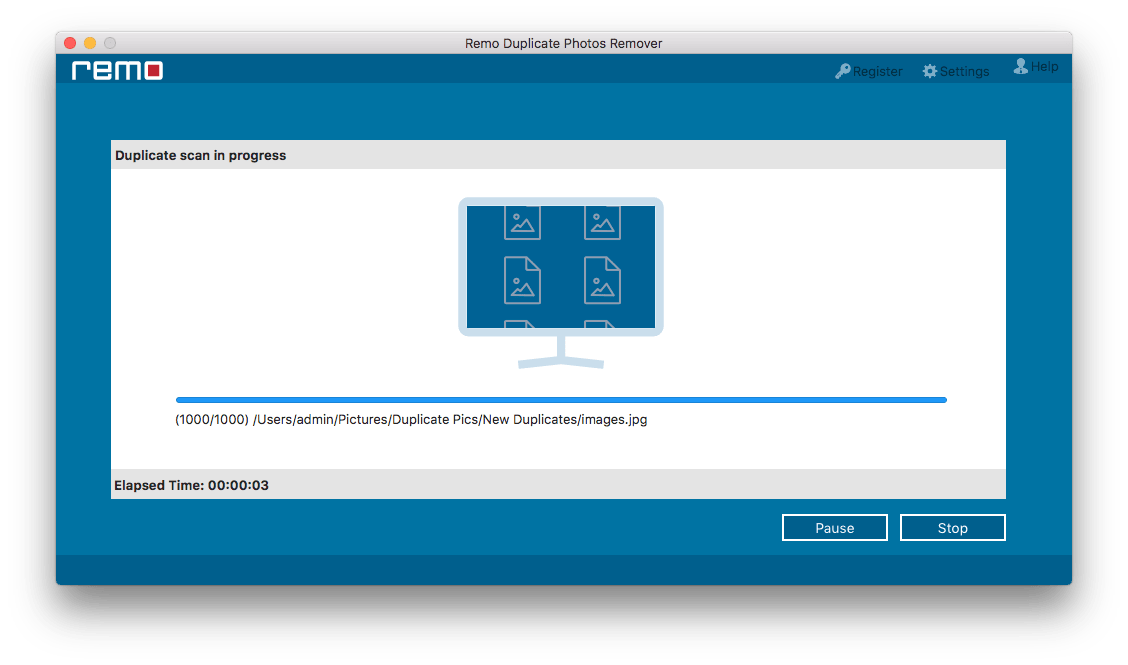
To remove the exact match or similar looking duplicate photos on Mac Big Sur, Catalina, Mojave, High Sierra, Sierra, or any other macOS version, first, click on the Buy Now button for Mac to install the licensed version of Remo Duplicate Photos Remover application on your Mac computer, and then follow the below simple steps
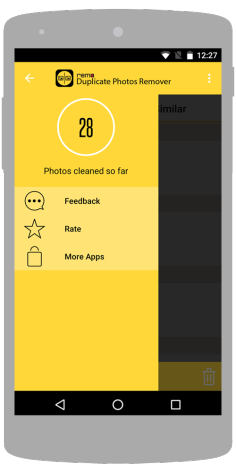
Steps to delete Duplicate photos on Android
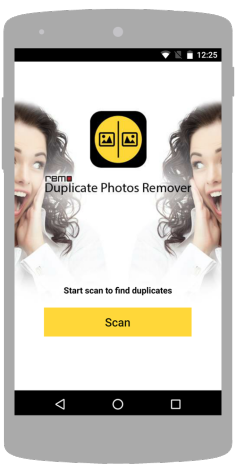
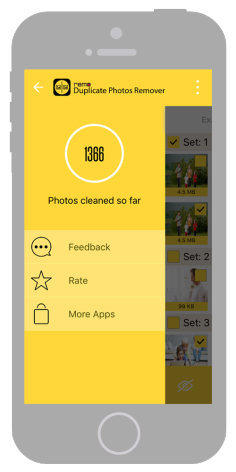
To Remove duplicate photos on Android devices, download and install the Remo Duplicate Photos Remover app on your Android device and then, follow the below steps
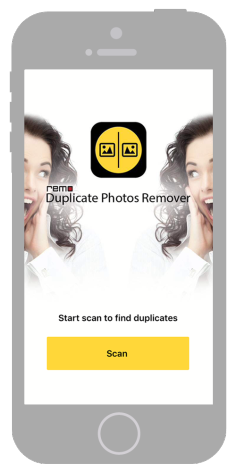
Steps to delete Duplicate images on iOS
To Remove duplicate photos on iOS devices, download and install Remo Duplicate Photos Remover Application and follow the below-listed steps
Frequently Asked Questions
Yes, Remo Duplicate Photos Remover is free for Android and iPhone devices but this tool comes with a licensed version if you want to remove duplicate photos from Windows or Mac systems.
Yes, this Duplicate Photos Finder is compatible with all the latest versions of Windows and Mac operating systems including Windows 11 and macOS Ventura. It also supports the latest Android and iPhone devices.
No, there is no limit on the number of duplicate photos to be deleted using this Duplicate Photos Finder. In fact, this tool can be utilized to remove thousands of duplicate photos with ease.
Apart from removing duplicate images from a complete device or multiple drives, you can also use this Remo Duplicate Photos Cleaner tool to only remove duplicate photos from a specific folder or drive of your choice easily.
Yes, Remo Duplicate Photos Remover tool comes with different builds for Windows, Mac, iOS and Android devices.
Why Choose Remo?
100% safeSecure
100% SatisfactionGuarantee
10 Million+Downloads
Free TechSupport
Live Chat24/7 Support


